Features
Everything Edicta can do, section by section. New here? Start at the top. Looking for something specific? Jump straight to a topic.
Getting started
Explore the Edicta interface, see how your role shapes what you can see, and use the People section and the Bazar to get started.
Edicta helps you run a relationship or dynamic built around a power imbalance, with rules, tasks, and real consequences, while you develop your own style instead of following a fixed concept. Because it is flexible, it works best when you discover it step by step. Open different sections and tap around freely, you can't break anything.
How the app is laid out
The hamburger menu in the top left opens the app menu. There you complete your profile, change your password, and adjust language and color scheme, along with further display settings.
The tab bar at the bottom holds the app's most important sections. Tapping More reveals additional sections and tools, and new ones are added there over time.
Your role shapes what you see
Edicta adapts to your status and your connections. Some features are visible only to dominant users, others intentionally behave differently for submissive users, and certain areas change dynamically depending on your relationships and permissions. Many features only take full effect once you are connected with a partner, and some become available only then.
The People section
The People section contains the participant overview, where you discover other users and view profiles. The available action depends on your role:
- As a Dom, you invite Subs to be trained by you.
- As a Sub, you apply to dominant users.
The Bazar (Doms)
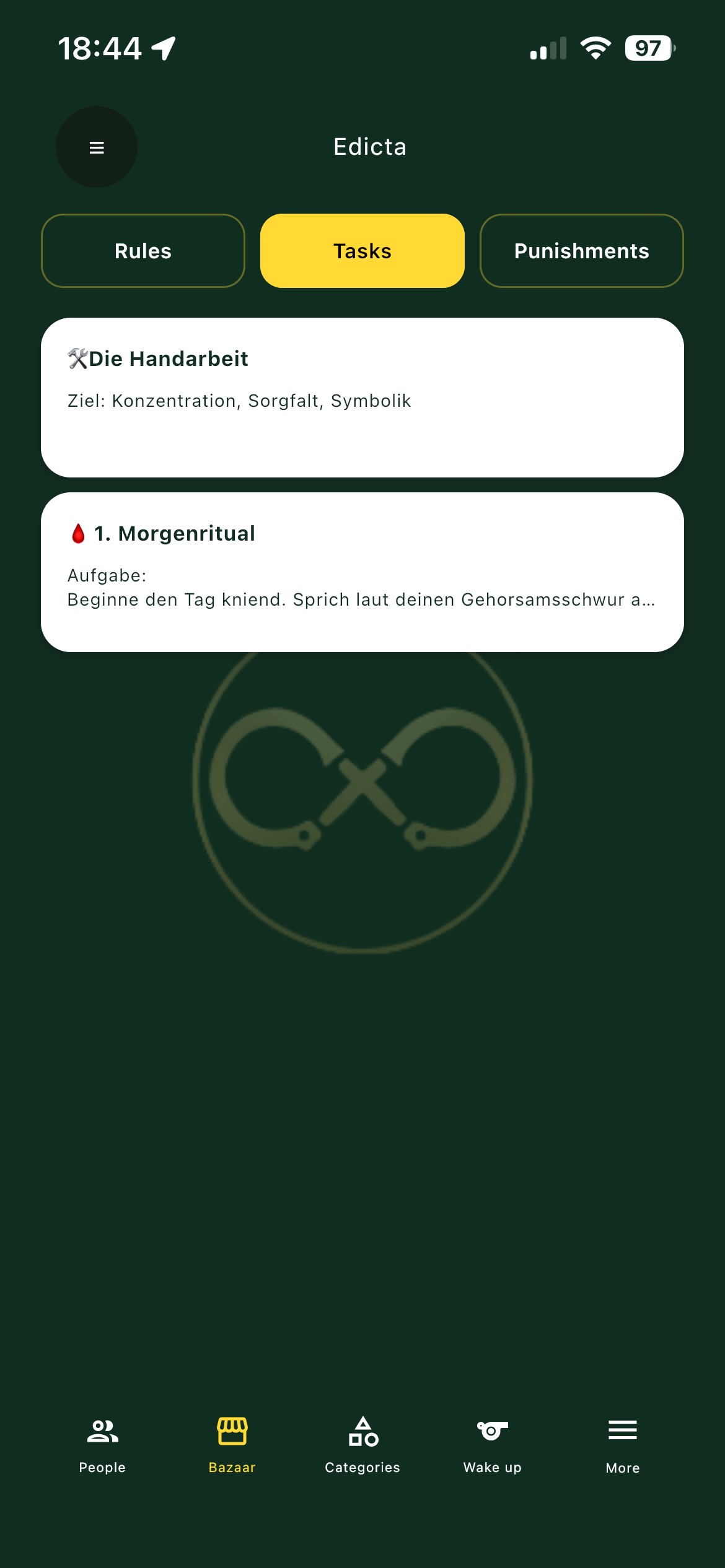
As a Dom, the Bazar collects ready-made ideas and inspiration for rules, tasks, and punishments. You use these as templates and can customize and expand them for your own dynamic.
↑ Back to top
Relationships & people
How the People tab works — discover profiles, send or accept invitations, and build or end Dom/Sub connections.
The People tab is where relationships in Edicta begin. It stays hidden behind the More button until you open it. From here you discover other users, view profiles, send invitations and build connections. What you see and who you can connect with depends on your role.
Role asymmetry
Connections always form between a dominant and a submissive user. As a Dom you invite subs to connect and can hold several subs at once. As a Sub you apply to doms and can have only one dom at a time. This is deliberate, not a technical limit. Many areas of the app look empty until an active relationship exists, because a connection is the foundation for assigning rules, distributing tasks, submitting suggestions and changing permissions.
Symbols and filters
A chain symbol marks a profile that already has an active relationship. As a Dom you cannot invite a chained sub, since a sub can only have one relationship; as a Sub you can still apply to a chained dom. A lock symbol on a dom means a sub cannot end that relationship alone and needs the dom's approval — though as a Sub you get a 24-hour window to test it first. Four filter buttons at the top hide, in order: profiles that already have relationships; profiles that require confirmation before ending; profiles of your own role; and profiles whose gender does not match your preference.
Invitations and connections
The Invitations view lists what you have sent and received — accept one to form a relationship, or decline. The Connections view shows your active relationships. As a Dom, a sub's termination request also appears here and you must accept or decline it within 24 hours; after that it is accepted automatically.
Ending a connection
Under Participants you can end a relationship. This cannot be undone: all rules, tasks and punishments tied to that person are deleted. As a Sub bound to a locked dom, you request termination instead of ending it directly.
↑ Back to top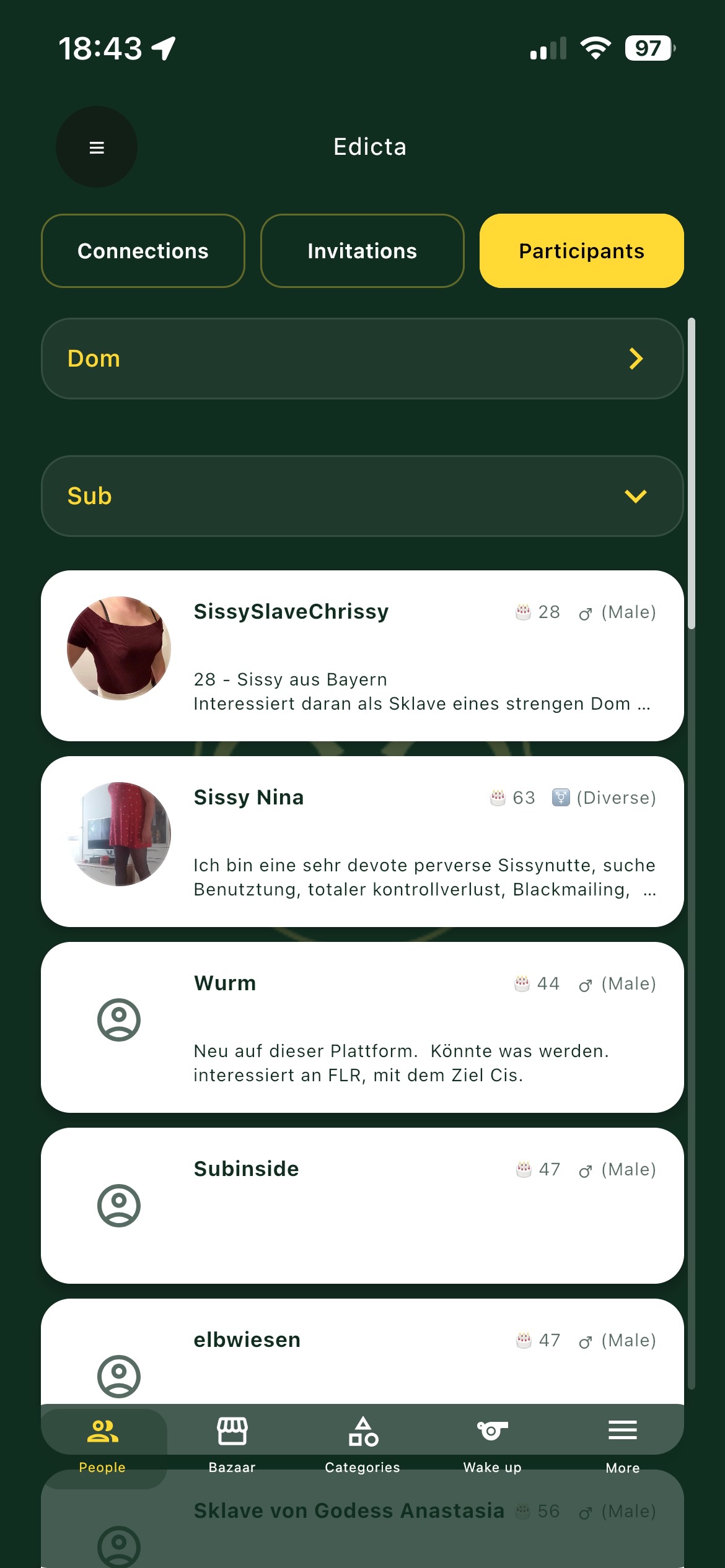
Rules, templates & categories
How rules, reusable templates and categories structure your dynamic, including who can create them and how breaches are handled.
Rules are one of the core elements of Edicta. They are more than reminders or to-do items: they form the framework of your dynamic, making control visible, creating commitment, building tension, establishing rituals and setting expectations clearly. You find them in the Rules tab.
A rule can be simple, such as a daily check-in, a specific form of address, a clothing requirement, a fixed routine, a restriction or a small ritual, or it can be considerably more complex. A rule can also express a restriction, meaning something the sub is not allowed to do. Every rule always belongs to one specific Dom-sub relationship.
As a Dom
- You create, manage, activate or pause rules and record rule breaches. If a rule does not fit right now, pause it instead of deleting it and reactivate it later at any time.
- You monitor compliance and respond to breaches with punishments — see Rule checks and Punishments below.
- Because a Dom can have several subs, you can give each sub different rules, or adapt the same rule individually per sub.
As a Sub
- You have a single Dom, and only the rules assigned to you within that relationship apply. You see your rules and any recorded breaches.
- You cannot set rules for yourself, but you can submit suggestions; your Dom can review, accept, modify or reject them.
Templates and categories
A template is an unassigned rule, so you can build an entire rule system once and assign templates to individual subs whenever needed. Categories work like drawers: each template belongs to exactly one category, organized by topic or by sub (for example Everyday Life, Behavior, Clothing, Rituals, Communication, Control).
Rule breaches can be recorded and later forgiven again. Start small: a few consistent rules usually work better than a large rulebook.
↑ Back to top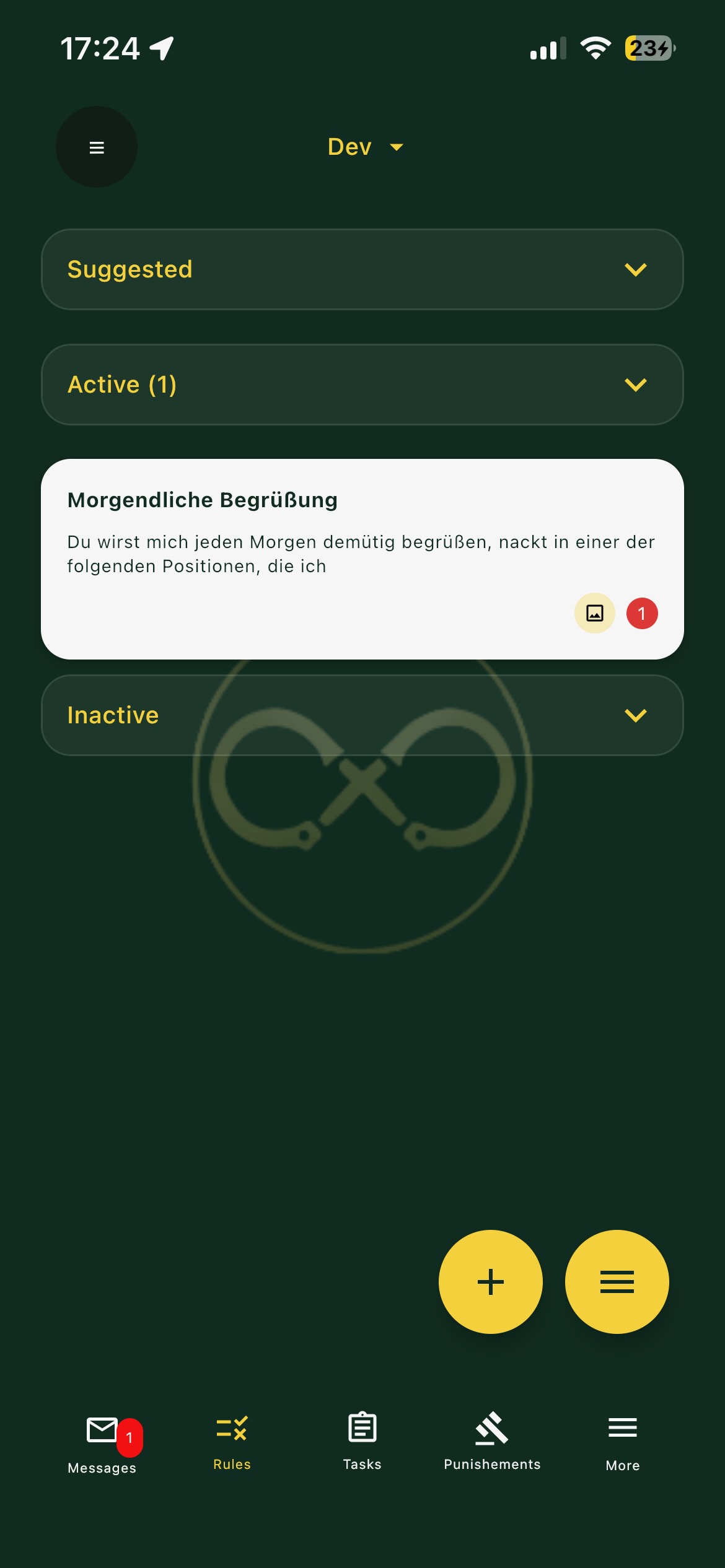
Rule checks, proofs & breaches
How proof requests and rule breaches let a Dom verify rules while a Sub completes or confesses them.
Rule checks turn a rule from something that merely exists into something whose compliance can be verified at any moment. The point is not constant surveillance — it is that a check could happen at any time, which is often what creates attention and commitment.
Proof requests
A proof request actively asks for evidence that a specific rule was followed.
As a Dom you can trigger a proof request for a rule at any time. Its requirements are defined when you create the rule and are applied automatically whenever you request proof: you can require a photo, set a time limit for submitting it, and require that the photo contains a randomly generated verification code — which makes cheating surprisingly difficult.
As a Sub you receive the proof request as a task and are notified by push. You complete it like any other task, within any time limit and including any required photo and code.
Rule breaches
Because rules are not always kept, Edicta also lets you record and resolve breaches.
As a Dom you can record a breach yourself, and how you respond — for example with an assigned punishment or follow-up task — is entirely up to you. Only you can later mark a breach as resolved.
As a Sub you can confess a breach. The Dom decides how it is made good, so keep an eye on assigned punishments or follow-up tasks.
Getting started
Start with only a few rules and try living them before adding more: request proof once, deliberately record a breach, and observe together how it changes the dynamic.
↑ Back to top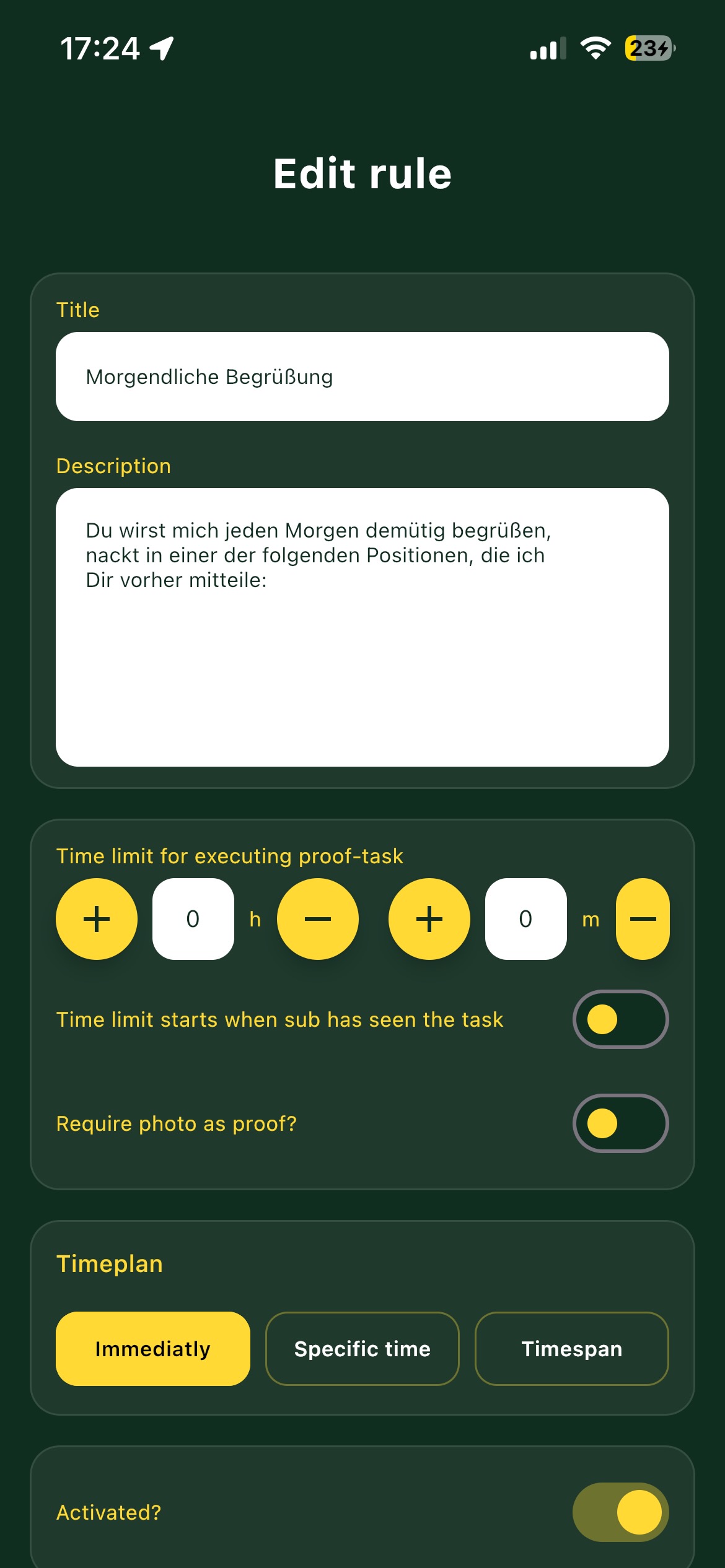
Tasks, schedules & routines
How tasks are assigned, proven and reviewed in Edicta, and how schedules make them recur automatically.
What a task is
A task is the smallest unit of action in Edicta. A rule describes how things should be; a task is the actual doing. Some tasks are created automatically — for example as the proof required for a rule — while others are assigned directly and spontaneously.
Every task follows the same path:
- It is assigned within a relationship
- The Sub is notified by push message
- The Sub carries it out and submits a proof
- The Dom accepts the proof, rejects it, or requests a redo
As a Dom you decide how strict the proof has to be — a photo, a deadline, or the random number code that makes cheating nearly impossible. A task always belongs to one specific relationship, so if you have several Subs you assign tasks individually. As a Sub every task belongs to your single relationship with your Dom.
Tasks move through states — new, active once they are actually due, and in review once a proof has been submitted. A small badge on the tasks icon in the tab bar shows the count whenever something is waiting for you, so you never have to check by hand.
Schedules and routines
A schedule makes a task recur without anyone assigning it by hand. As a Dom you set once when it should reappear: daily, weekly, or at custom intervals; at a fixed time or within a time window; several times spread across that window; and, if you like, at random moments within it. Edicta then creates the tasks automatically. A rule check can be scheduled the same way, so compliance is demanded regularly on its own — as a Sub, some duties simply return by themselves, and you will not always know exactly when the next one appears.
To get started, run a single small recurring task — a morning check-in or an evening recap — and see together how that quiet regularity feels.
↑ Back to top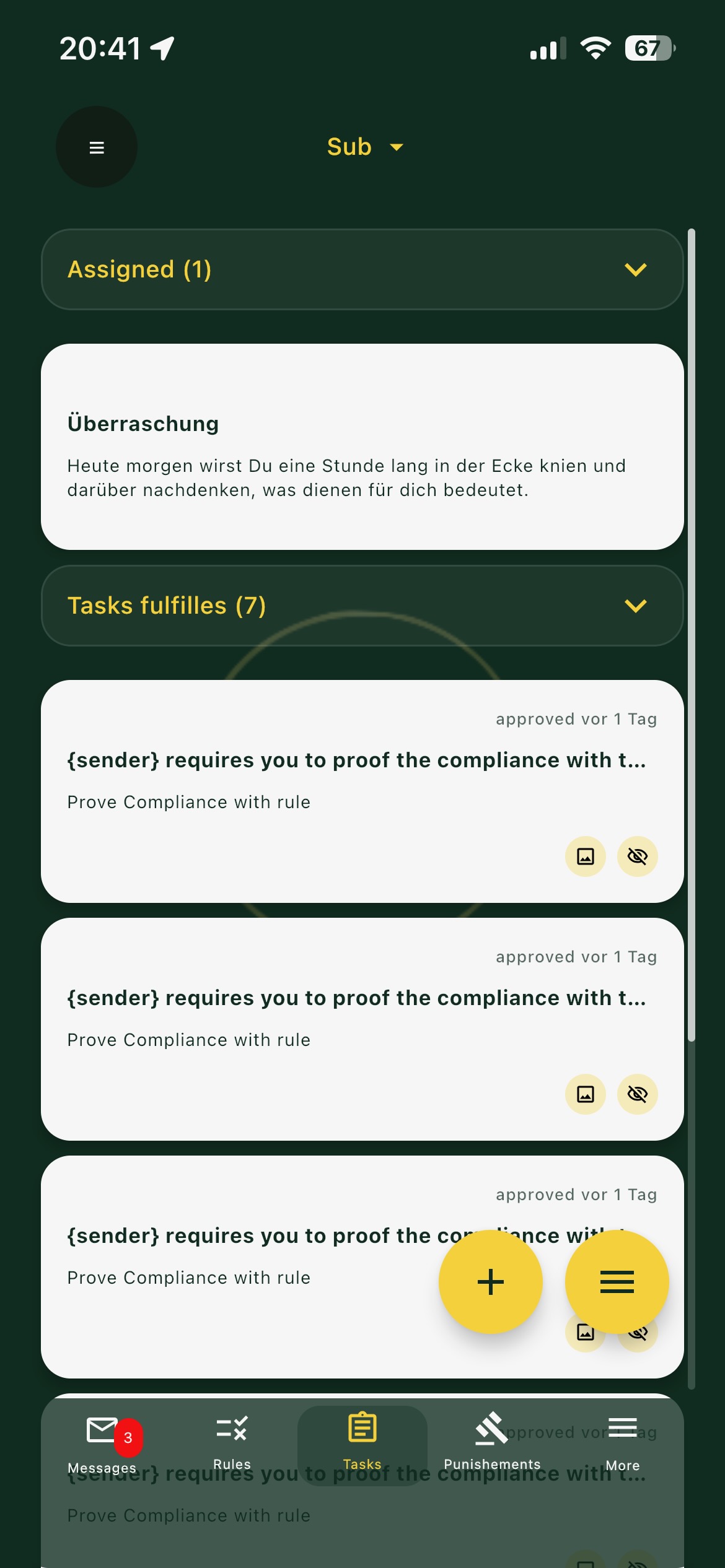
Punishments & consequences
How punishments work as the consequence for a broken rule or an unfinished task — from assignment and proof to templates.
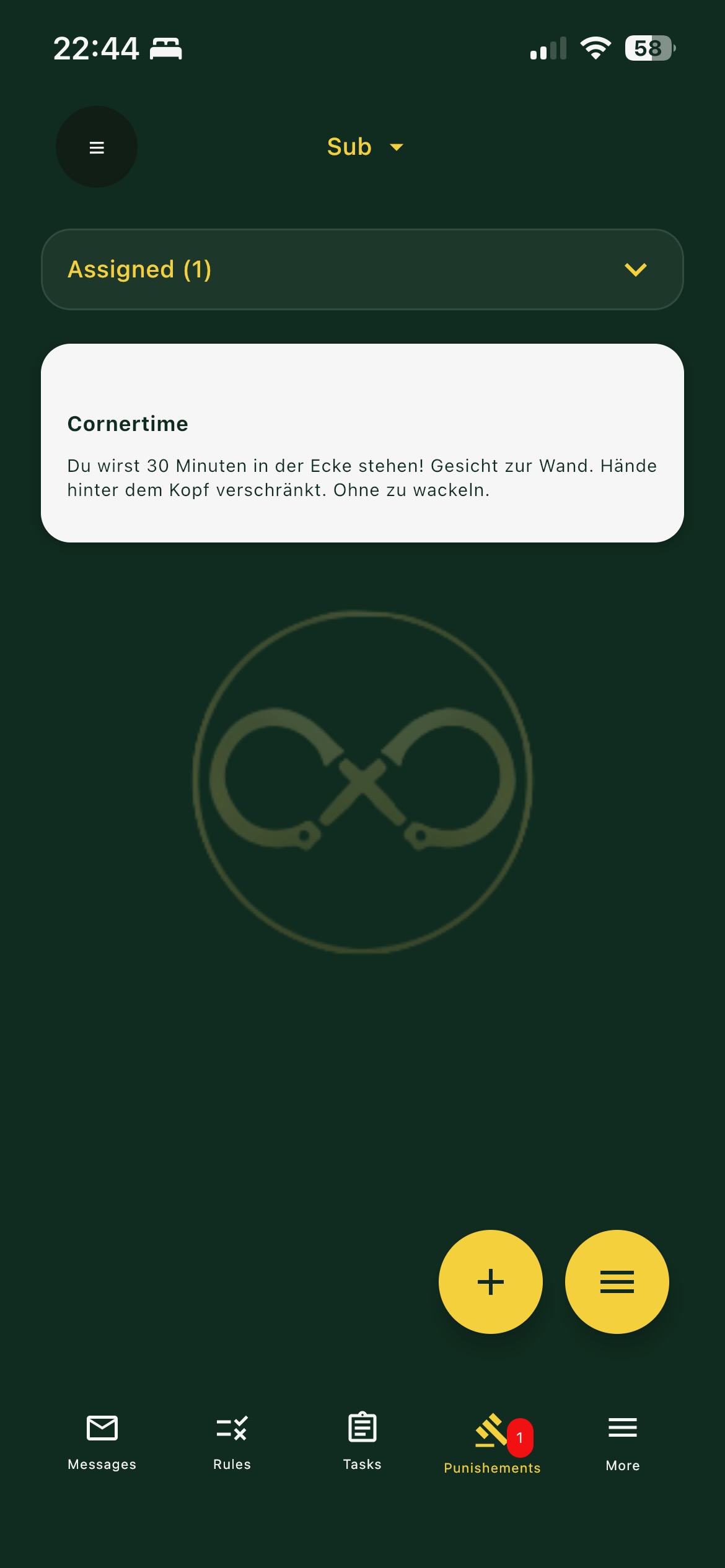
In Edicta a punishment is the consequence. A rule describes how things should be, a task is the actual doing, and a punishment is the answer when one of those is not met — or simply a means to make seriousness and structure tangible.
When a rule is broken or a task is left undone, a Dom can respond with a punishment. A punishment always belongs to one specific relationship.
How a punishment runs
A punishment follows the same path as a task:
- The Dom assigns it to a Sub
- The Sub is notified by push message
- The Sub carries it out and submits a proof
- The Dom accepts the proof, rejects it, or requests a redo
As a Dom you can have several Subs and assign each punishment individually. As a Sub you have a single Dom, and every punishment belongs to that connection.
Proof
The Dom sets how strict the proof must be — a photo, a deadline, or the random number code — so cheating is nearly impossible. Whenever a proof is waiting for review, a small badge in the tab bar shows that something is pending, so nothing slips through.
Scheduling and templates
Unlike tasks, punishments cannot be put on a schedule; each one is assigned individually. A single punishment can, however, comprise several runs. Like rules and tasks, punishments can be saved as templates and reused, and ready-made punishment templates can be imported from the Bazar — a Dom-only marketplace that Subs cannot import from or publish to.
Getting it right
Punishments work best when they are not arbitrary:
- Agree together beforehand which consequences are okay for you — consent first.
- A clear, announced consequence often has more effect than a harsh, surprising one.
- It is not about harshness but reliability: rules that stay without consequences lose their meaning. As a Sub, take a consequence seriously and submit the proof reliably.
The Bazar
Edicta's marketplace where Doms discover, import, adapt and publish ready-made templates for rules, tasks and punishments, while Subs simply receive what their Dom assigns.
The Bazar is Edicta's marketplace: a collection of ready-made templates for rules, tasks and punishments, created and shared by other Doms. Instead of building everything from scratch, you browse what's on offer and adopt whatever fits your relationship.
Discover, import, adapt
Adopting an item takes a single tap. The import lands in your own collection as your template, where you can calmly adapt it to your relationship before assigning it to a sub. Nothing goes live unasked — you stay in control.
Share your own
You can also publish your own rules, tasks and punishments to the Bazar, turning your ideas into templates others can use. For every entry you publish, Edicta credits you 10 Oath. If you later take an entry back down, those 10 Oath are deducted again, so it stays fair.
A good way to start
Before you create your next item by hand, look in the Bazar first: import a template that appeals to you, adapt it to your relationship, then assign it to your sub and observe how it feels. Often the best rule isn't the one you laboriously invent — it's the one you discover and make your own.
Dom and Sub
As a Dom you have full access: discover, import, adapt, assign and publish. As a Sub the Bazar is not available to you — you can't import from it or publish to it. Nothing changes in your everyday use: you receive whatever your Dom assigns, and some of it may come from the Bazar without you noticing.
↑ Back to top