
Support
If you need help with Edicta, encounter technical issues, or want to report inappropriate behavior or content, please contact us.
We try to respond as quickly as possible.
We also highly appreciate ideas, suggestions and feedback to help improve Edicta over time.
support@edicta-app.comFor safety-related reports, please include as much relevant information as possible.
Delete your Edicta account
You can permanently delete your Edicta account directly inside the Edicta app. You do not need to contact support to start the deletion process.
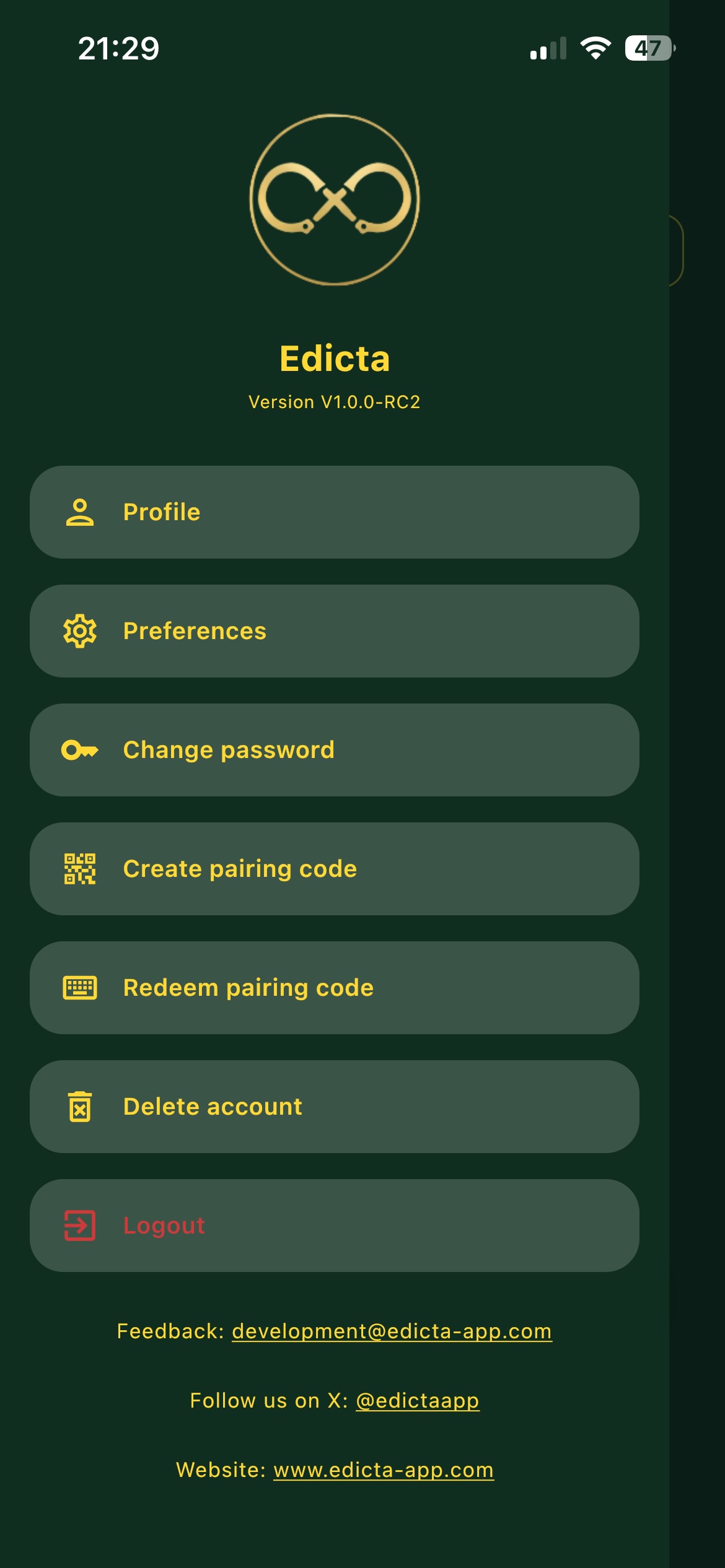
How to delete your account:
- Open Edicta.
- Open the side menu.
- Select Delete account.
- Confirm the deletion in the app.
What data is deleted:
- Your Edicta profile and account data.
- Your preferences and settings.
- Your messages and relationship data.
- Your rules, tasks, punishments and related activity data.
- Your uploaded images and attachments, where technically associated with your account.
Account deletion starts immediately after confirmation and is intended to be permanent. Some limited technical records may be retained temporarily where required for security, abuse prevention, legal compliance or backup recovery.
If you need help with account deletion, contact us at support@edicta-app.com.